Motaba'ah: One School, Four Surfaces, One Record
An administration system, teacher and parent mobile apps, and a portal for principals and supervisors — connected around every student
- Industry
- School education
- Region
- Saudi Arabia
- Project Type
- Platform — web portals and mobile apps
- Live Project
- Visit Site ↗
01
The Problem
In a school, what a teacher records in class matters to three other groups of people: the parents of the student, the school's leadership, and the team that keeps the system running. When those records live in notebooks, spreadsheets and messaging groups, nobody sees the whole picture — parents hear late, principals cannot see which classes are being followed up, and support requests disappear. The need was not another app. It was one system in which each of these people has the surface built for their role, all reading and writing the same student record.
- Classroom records were invisible to parents until long after the fact.
- Principals had no view of which teachers were actually following up their classes.
- Each role needed a different tool, but all of them had to share one record.
- Student follow-up lived in disconnected spreadsheets and paper records.
02
The Solution
Motaba'ah is built as an ecosystem of four connected surfaces over one .NET back end. Teachers use the teacher app to record attendance and behaviour observations, run periodic evaluations against evaluation categories, and manage their timetable, study plans and semesters. Parents use the parent app to link to their children — by a teacher's code or the student's national ID — and follow each child's evaluations and attendance, with push notifications. Principals use the leadership portal to see attendance and behaviour-observation trends by day, week and month, spot teachers who have stopped recording and send them reminders, manage their teachers and school settings, and share read access with supervisors. The administration system runs the platform itself: support requests by status, notifications, polls, teacher and registration management, system administrators, portal settings and an error log.
Approach
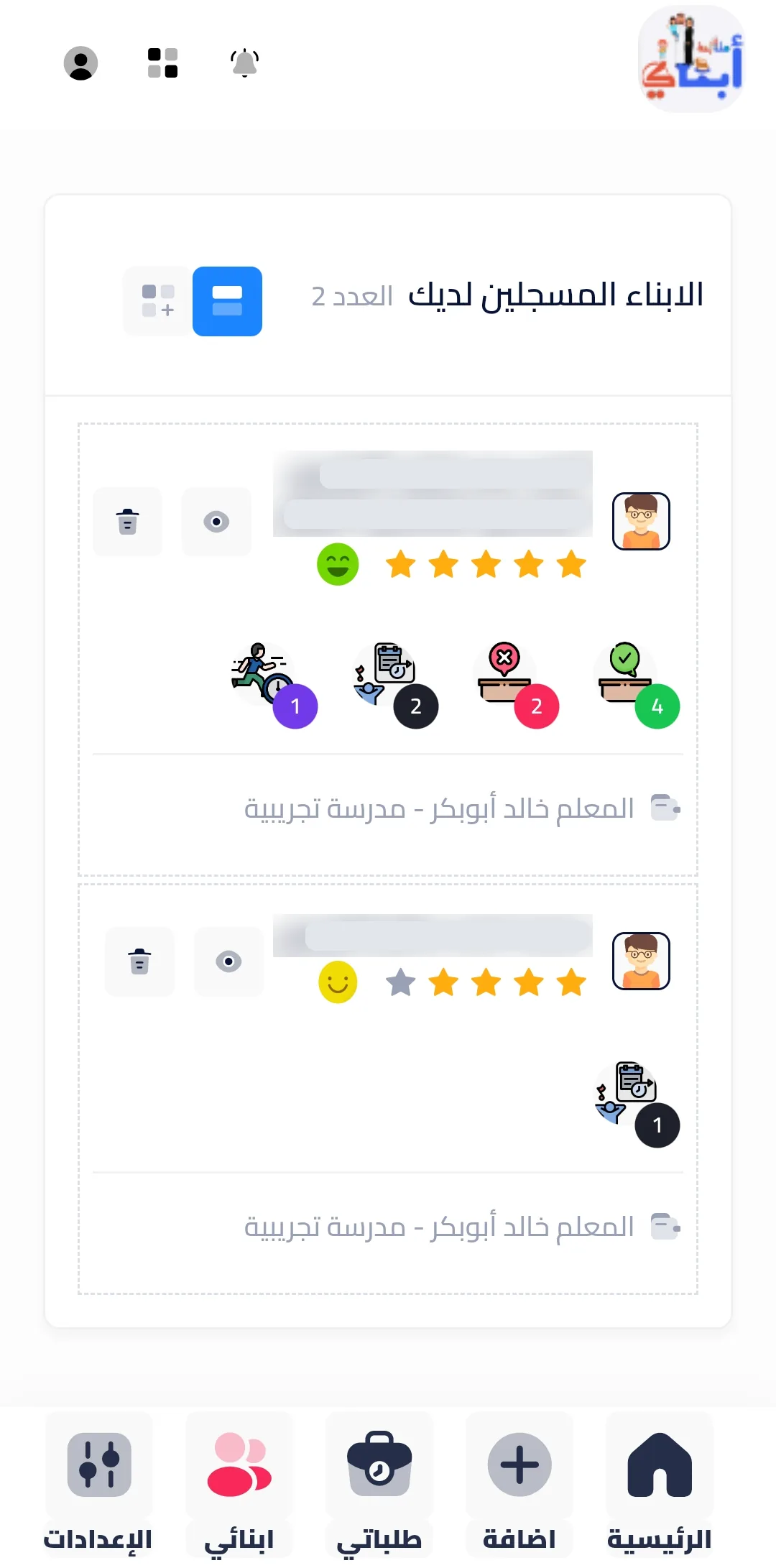
- Teacher app: attendance, behaviour observation, periodic evaluations by category, timetable, study plans and semesters.
- Parent app: linking to children by teacher code or national ID, each child's evaluations and attendance, push notifications, and Apple and Google sign-in.
- Leadership portal: attendance and behaviour trends by day, week and month, inactive-teacher alerts, school settings and supervisor access.
- Administration system: support requests by status, notifications, polls, user and registration management, and a system error log.
Key Decisions
- Two separate apps for teachers and parents rather than one app with modes — each role installs only what it needs.
- Parents link to a child only through a teacher's code or the student's national ID, and every request is reviewed.
- Arabic-first design throughout, not a translated English interface.
- Leadership sees activity, not just results: the portal surfaces teachers who have stopped recording, so follow-up can start early.
03
Screens from the product
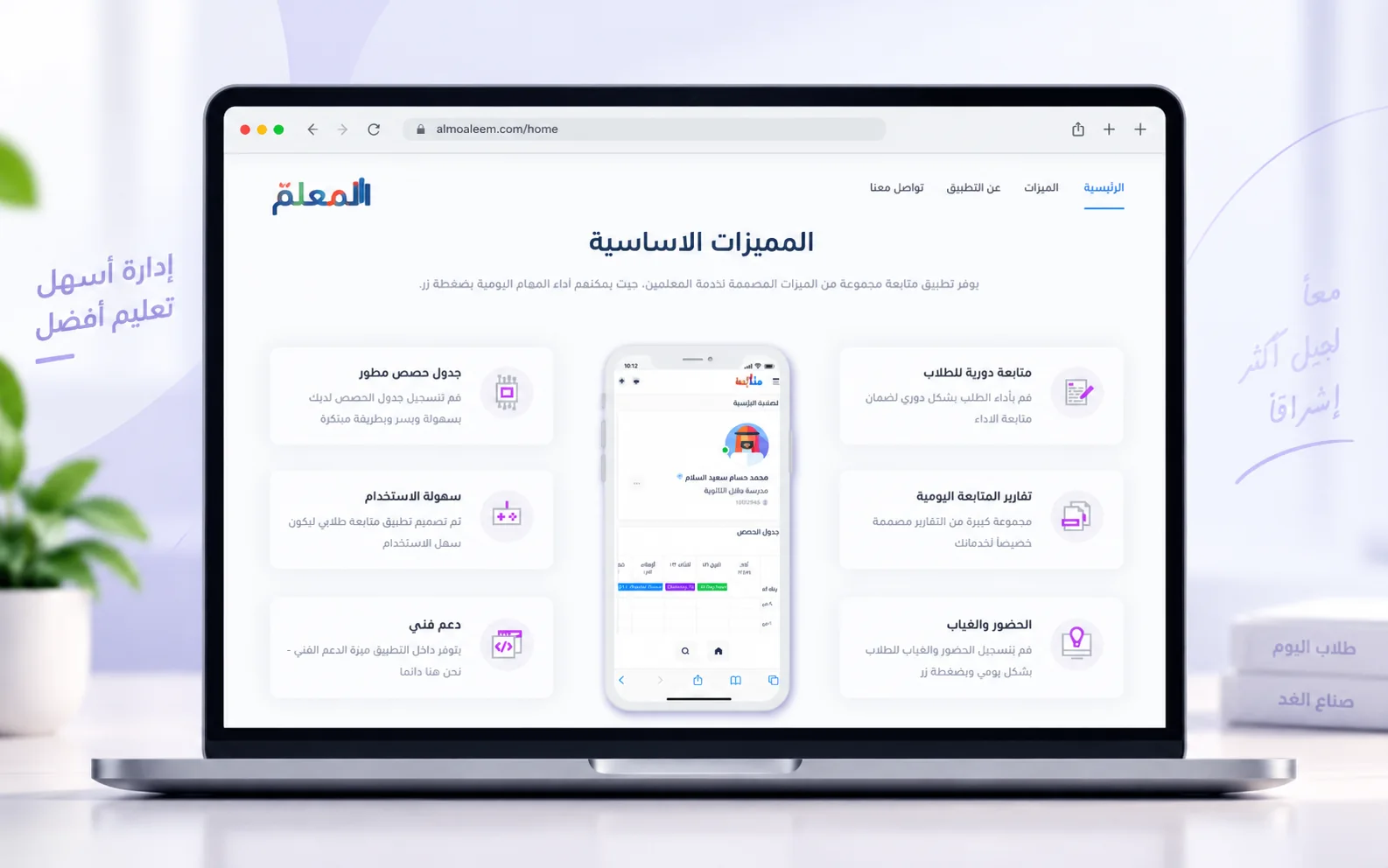
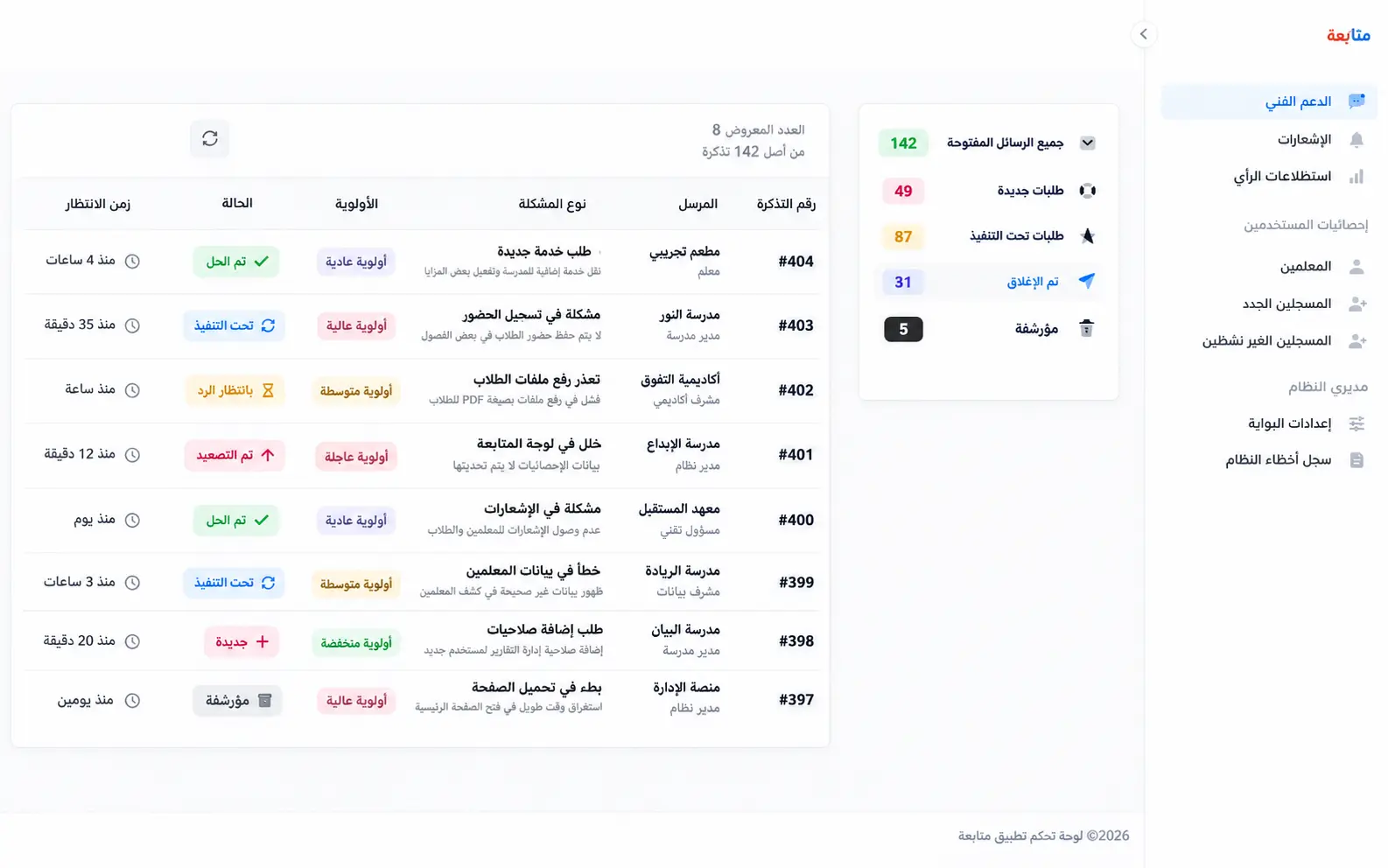
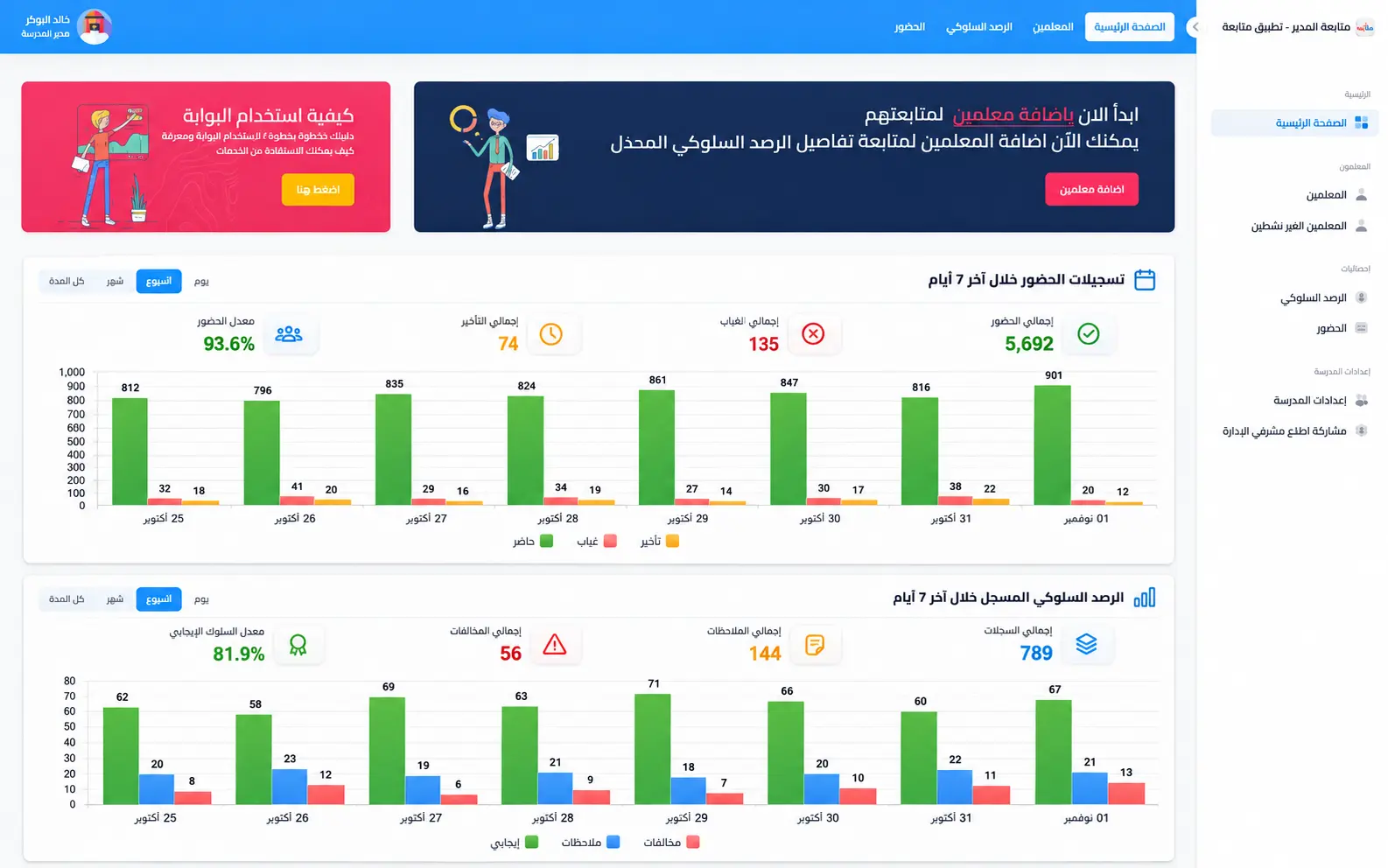
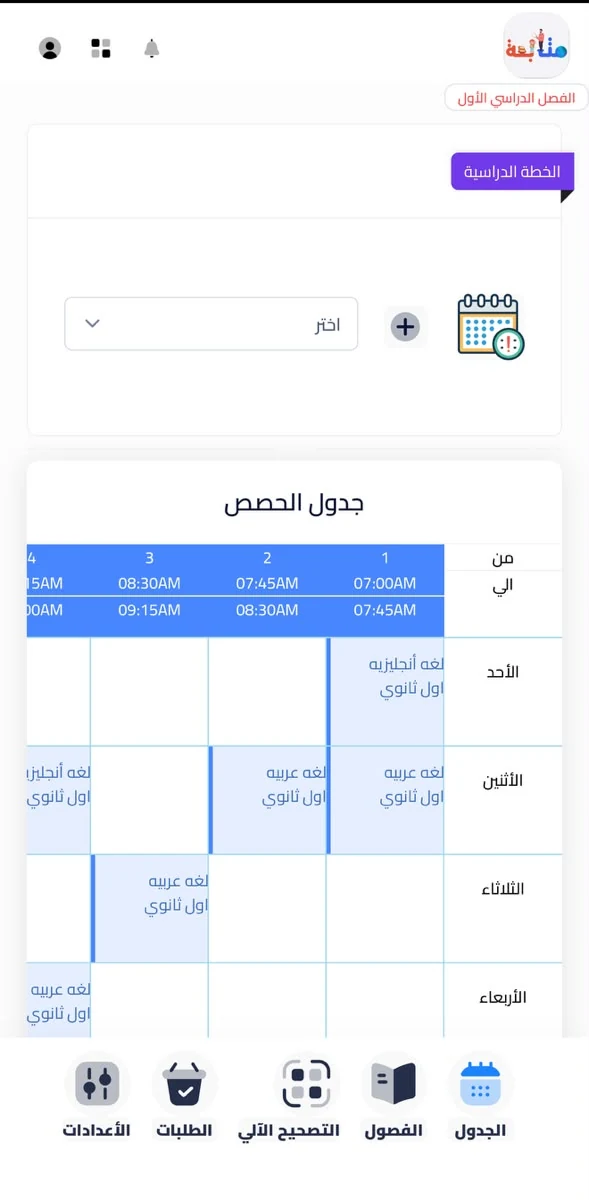
04
Technologies & Architecture
Backend
Frontend
Integration
Security
Architecture Notes
- 1.NET back-end services with separate APIs for the teacher and parent apps.
- 2Angular apps wrapped with Capacitor for Android and iOS; Firebase Cloud Messaging for push notifications.
- 3Three Angular web portals — administration, school leadership and users — over the same services.
- 4Arabic-first, right-to-left interfaces throughout.
- 5Records organised by academic term and semester, with role-based access for administrators, teachers and parents.
05
Challenges & Trade-offs
Letting any parent search for any student would be a privacy failure.
Linking requires a teacher's code or the student's national ID, and requests are reviewed before a parent sees anything.
A dashboard of results tells a principal what happened, but not which classes are no longer being followed.
The leadership portal lists teachers inactive in behaviour observation, with the last record date and the reminders already sent.
06
Outcomes & Impact
The teacher and parent apps are published on Google Play, the product site runs at almoaleem.com, and the leadership portal and administration system run against the same back end — one student record shared by the teacher who writes it, the parent who follows it and the principal who oversees it.
- Teacher and parent apps published on Google Play.
- Four role-specific surfaces sharing one student record.
- Leadership visibility over attendance, behaviour observation and teacher activity.
07
Frequently Asked Questions
- What is the relationship between Motaba'ah and Almoaleem?
- Almoaleem (almoaleem.com) is the product's public website; Motaba'ah is the platform and the name of its apps.
- Can you build a connected platform like this for my organisation?
- Yes. Schools, training centres and any organisation where field staff record and managers oversee follow the same pattern: role-specific apps and portals over one shared record. Tell me who records, who follows and who decides.
Visit the live project to see the final result
Visit ProjectHave a Similar Project?
Let's discuss how I can help achieve your technical objectives